
 Downloader
 Uninstaller
 Streamer
 TV
 Filter
Layers
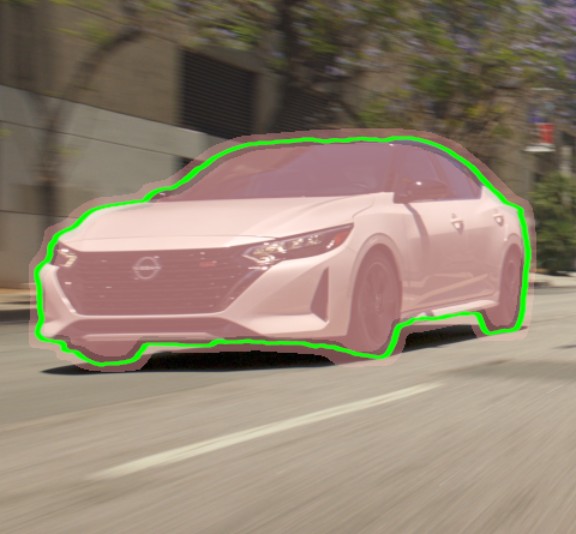
Draw a box or click a subject. Each one becomes a numbered layer with its own colour, up to 20 in a node. Add Detail and Remove Detail clicks fix what the model missed.
Put a box or a click on your subject, or just describe it. Hoides Matte builds the matte, follows it through the shot, cleans the edges and writes the frames out, without leaving Nuke or your GPU.

The panel is numbered the way a shot goes, so you always know what comes next. One node does all of it: no helper apps, no exports and imports.
Draw a box or click a subject. Each one becomes a numbered layer with its own colour, up to 20 in a node. Add Detail and Remove Detail clicks fix what the model missed.
Type “red car” or “person on the left” and press Find. The best match on the frame becomes a new layer. Min Confidence decides how sure it has to be.
See the result as Plate, Matte, Tinted, Cutout, Holdout or Edge Band, straight from the node, without wiring up extra nodes to check it.
The model looks at the part of the frame around your layers, so small subjects keep their detail even on 4K plates. Press play and each layer follows its subject from its reference frame.
An edge pass with ViTMatte resolves hair, fur and motion blur inside a band you size in pixels: Inner Band and Outer Band. Switch it to Raw when speed matters more.
Turn on Write While Playing, play the shot once, and the frames land in your folder as 8-bit PNG or 16/32-bit EXR, named the way you set.
A box, a click or a few words. A matte shows up on the spot.
Each layer follows its subject frame by frame as the shot plays.
Clean the edges, then write the matte frames to disk in one pass.
Plug a roto into the node's Roto input and Hoides Matte leaves the shape alone: it builds an edge band from its alpha and lets the ViTMatte edge pass work out the hair, blur and soft detail inside it. No segmentation, no boxes.
A perpetual licence for version 1, paid once. Each seat runs on one machine and moves with you when you change machines. Prices in USD.
No. Every model runs on your own GPU and nothing that contains image data leaves the machine. Hoides Matte makes no network calls while you work.
Both come with the installer; pick one in Performance → Model. SAM 2.1 is the default and the quicker of the two. SAM 3.1 is Meta's newer, larger model and takes longer per frame. Setup prepares SAM 3.1 for your graphics card once (a few minutes, in a progress window), so it is ready the first time you pick it. On a GTX 1660 SUPER, three layers with the edge pass on a 1080p shot run at about 3 seconds a frame with SAM 2.1 and about 7.5 seconds with SAM 3.1. RTX cards are faster.
The Licence section of the node shows a Machine ID. Send it with your order and you get a licence key made for that machine. Paste it, press Activate, and it is checked on the machine itself from then on, with no internet needed. That suits locked-down facility workstations.
Email us the new Machine ID and we issue a key for it. A seat can move as often as you need.
Windows SmartScreen shows that for installers it has not seen often yet, which is normal for a new independent publisher. Click More info → Run anyway. The installer's SHA-256 is listed in the install guide so you can check the file first.
The trial has every feature. When it ends the node shows a marked “disabled” frame instead of mattes until a licence key is entered. Your script and layers stay as they are, and activating brings everything back at once.
Seven days, every feature, no account and no card. See what the mattes look like on your footage.
Download the 7-day trial